Here’s sublimation mug printing from A to Z. No fluff. This is the full picture, exactly how it works in real life, especially for a print shop like yours.
What is Sublimation Mug Printing?
Sublimation is a heat-transfer process where special ink turns into gas under heat and permanently bonds with a polymer-coated surface.
On mugs, the print does not sit on top. It becomes part of the mug coating. That’s why it never peels or cracks.
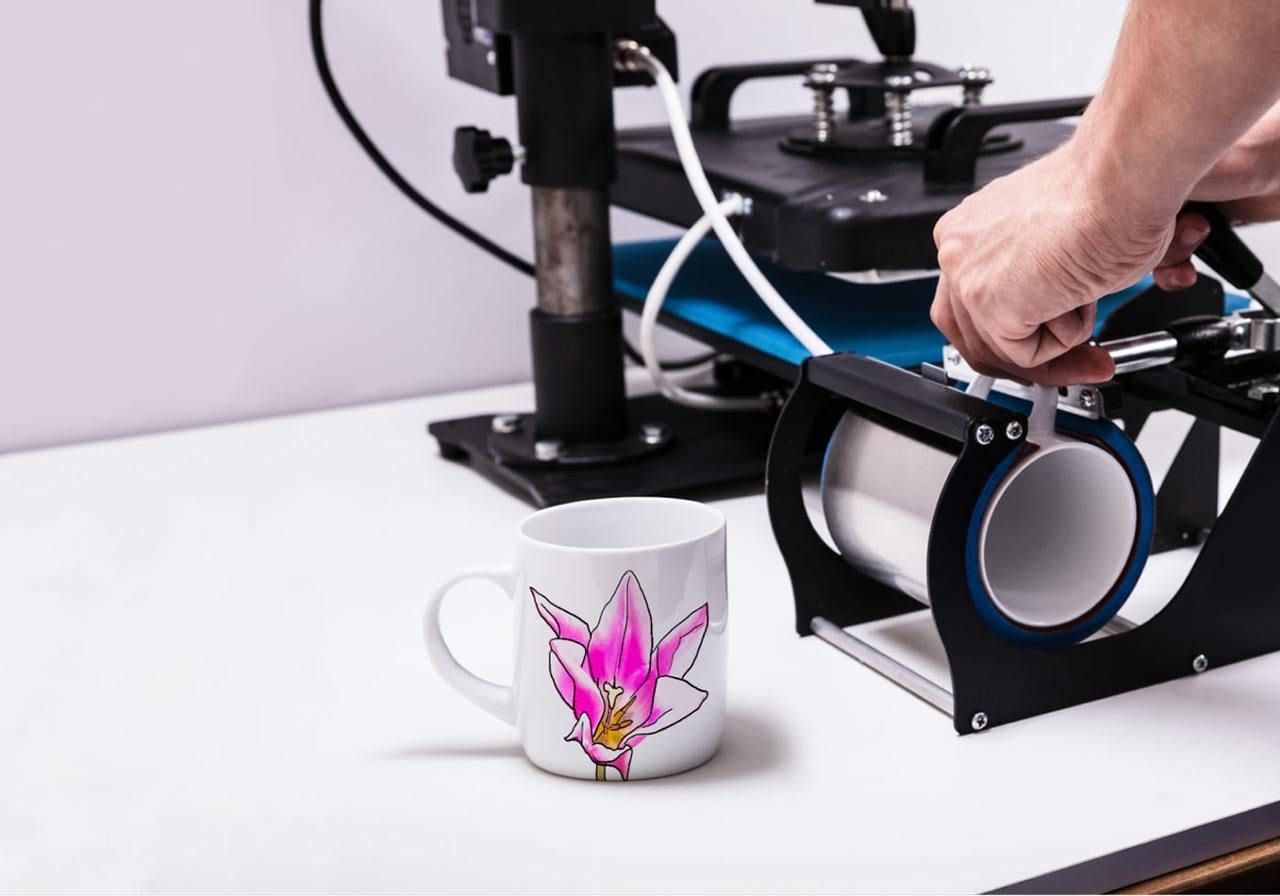


What You Need (Basic Setup)
1. Sublimation Printer
- Epson inkjet printer (L805, L130, L180, etc.)
- Must be dedicated only for sublimation
- Never mix normal ink
2. Sublimation Ink
- Heat-reactive dye ink
- Turns into gas at ~190–205°C
- Brand consistency matters a lot
3. Sublimation Paper
- Coated transfer paper
- Holds ink, releases under heat
- Cheap paper = faded prints
4. Blank Sublimation Mugs
- Ceramic mugs with polymer coating
- Without coating, print will wash off
- Common size: 11 oz (330–350 ml)
5. Mug Heat Press Machine
- Clamp-style or automatic
- Temperature + timer control
- Silicone heating element
Step-by-Step Printing Process
Step 1: Design Setup
- Use CorelDRAW, Photoshop, or Illustrator
- Mirror (flip) the design horizontally
- RGB color mode works best
- High resolution (300 DPI)
Step 2: Printing
- Print on sublimation paper only
- Let print dry for 5–10 minutes
- Do not touch ink side with fingers
Step 3: Taping on Mug
- Place design tightly on mug
- Use heat-resistant tape
- No gaps or wrinkles allowed
Step 4: Heat Press
Standard Settings (11 oz mug):
- Temperature: 190–200°C
- Time: 180–210 seconds
- Pressure: Medium to firm
Step 5: Cooling
- Remove carefully (hot!)
- Let cool naturally or with fan
- Do not touch print when hot
Why Sublimation Prints Are Best
- No cracking
- No peeling
- Dishwasher safe
- Microwave safe
- Long life (years)
That’s why sublimation is king for mugs.
Common Mug Types You Can Print



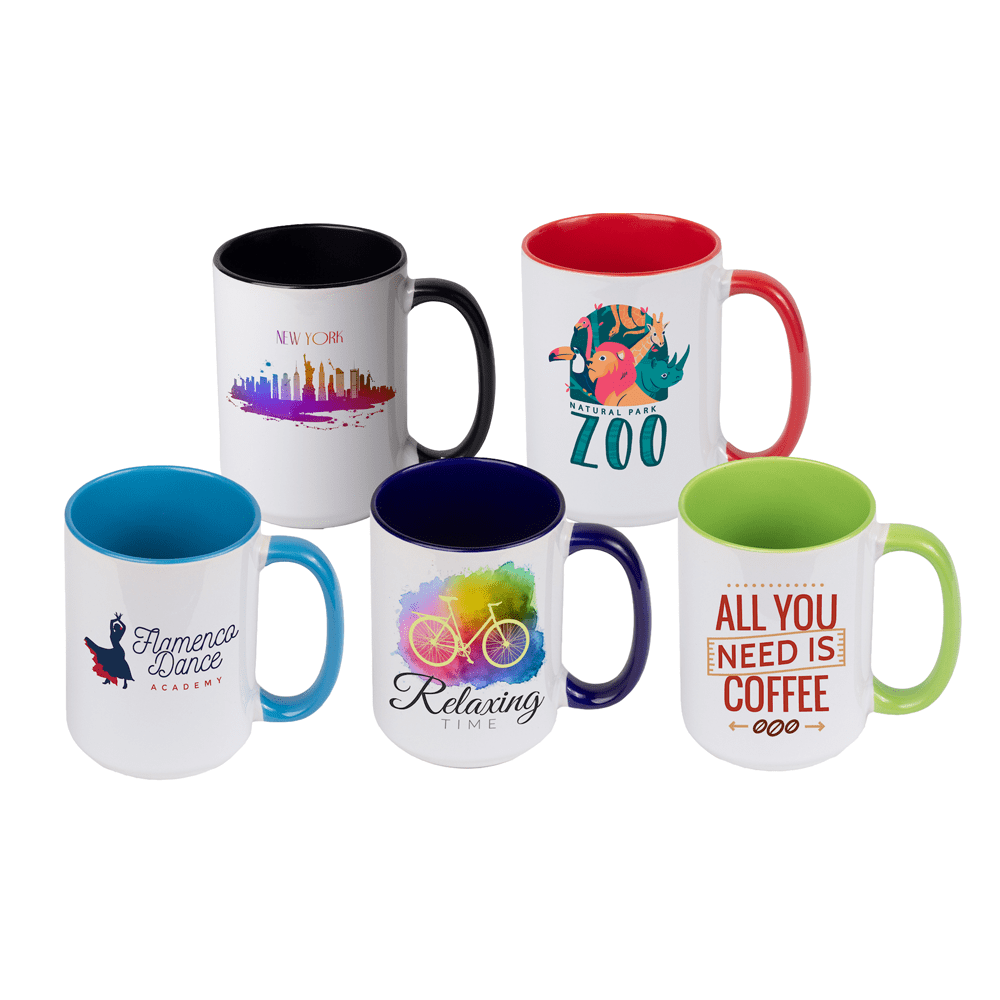
- White ceramic mug
- Inner color mug
- Handle color mug
- Magic mug (heat reveal)
- Frosted glass mug
- Steel / travel mug (coated only)
Common Problems & Real Fixes
❌ Faded Print
- Low temperature
- Bad paper
- Cheap ink
✔ Fix: Increase temp or time slightly
❌ Yellow or Brown Marks
- Overheating
- Dirty heating element
✔ Fix: Reduce temp, clean press
❌ Shadow / Ghosting
- Paper moved during pressing
✔ Fix: Tape properly, don’t move mug hot
❌ Dull Colors
- Wrong ICC profile
- CMYK printing
✔ Fix: Use correct sublimation ICC, RGB mode
Cost Breakdown (Approx)
- Blank mug: ₹60–90
- Ink + paper per mug: ₹10–15
- Power + wear: ₹5
👉 Total cost: ₹75–110
👉 Selling price: ₹199–399 (retail)
Margins are solid if quality is clean.
Best Uses for Sublimation Mugs
- Birthday gifts
- Anniversary gifts
- Couple mugs
- Corporate branding
- Doctor / teacher gifts
- Festival gifting
- Photo mugs
Pro Tips (Experience Level)
- Always test new mug batches
- Keep one mug only for testing
- Clean mug with alcohol before taping
- Never rush cooling
- Quality ink + mug beats cheap speed
If you want, next I can:
- Help you price mugs smartly
- Create ready-made mug design ideas
- Explain magic mug printing separately
- Or help you build a full mug gifting catalogue
Just tell me what you want next.